Cricut Unicorn Face Mask
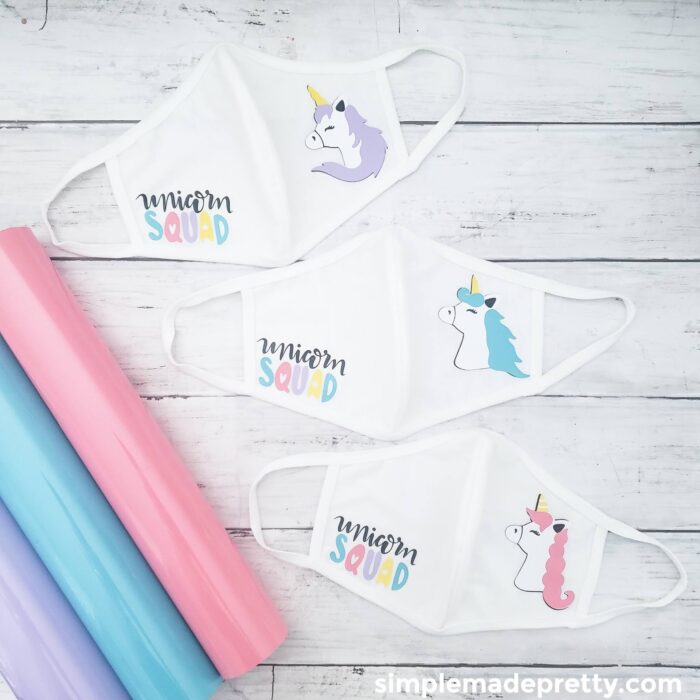
I made these cute unicorn face mask favors for my daughter’s unicorn-themed birthday party since face masks were required at the location for her party. I wanted to make my daughter’s party fun by providing a cute solution for her friends since face coverings were required so I came up with the idea to make these unicorn squad face masks. I shared a picture of these masks on Instagram and everyone asked for the cut file so click on the button below to be taken to my project in Cricut Design Space so you can Make these Unicorn Cricut Face Masks!
How to Make a Unicorn Mask
I also have a tutorial to make a unicorn sleep mask and I made my daughter a Unicorn Crown using my Cricut machine. You can find the tutorial here!
I used my Cricut Maker machine to make 100’s of fabric masks to donate to local hospitals, however, I was limited on time to create these Unicorn Face Masks for my daughter’s party, so I purchased some plain white face masks from Amazon.
If you’re curious (or in a hurry)…
They are of excellent quality and the cheapest I found too. These masks fit adults and kid’s faces. The ear loops were a bit loose on some kid’s faces so I twisted them around or tied knots to make them fit snug.
My daughter prefers this white cotton unicorn mask over the Cricut fabric mask that I made her because it’s one layer of fabric, versus two (which makes it easier to breathe).
Face Mask Pattern PDF
If you’d like to make your own fabric masks instead of purchasing them, I used this tutorial from Cricut to make fabric masks. You can download a free PDF if you don’t own a Cricut machine.
In this tutorial, I share my link to Make-It-Now in Cricut Design Space.
What is Cricut Design Space?
Cricut Design Space is the program you will need to design and cut your Cricut projects. When you set up your Cricut machine, you will need to install Cricut Design Space. All Cricut machines come with Design Space, their free, easy-to-learn design software. It’s cloud-based so you can access your files from any device, any time. Start on your phone, continue on your laptop, and even work offline – all without breaking stride. From there you have the option to arrange a design from scratch or select from thousands of ready-to-make projects. Place your material on a mat, load it in the machine, and press Go. The machine handles the rest.
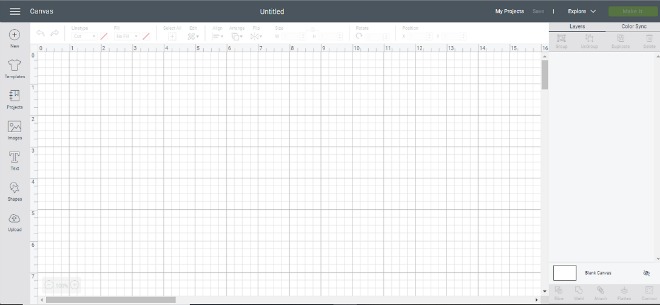
Design Space features tons of ideas to kickstart your next masterpiece. Browse and play with thousands of images, fonts, and ready-to-make projects. Since Cricut is adding more all the time, you’ll always find something fresh, new, and inspiring.
Do you need a computer to use a Cricut machine?
A computer is recommended, however, you can access Cricut Design Space and a Cricut Explore Air machine through mobile devices (iPad, iPhone, and Android devices). I highly recommend using a computer with Cricut Design Space and a Cricut Machine because you will have the full design options in Design Space and your machine needs to be close by to cut (even if you are using wireless Bluetooth).
What is Cricut Access?
You may have seen or heard about Cricut Access from Cricut or another blogger. Cricut Access is a membership that gives you 10% off your Cricut purchases (and various other offers and discounts) and access to thousands of images and fonts in Cricut Design Space.

I have a Cricut Access Membership, which provides me with thousands of free images to come up with some Cricut craft ideas. Be sure to check Cricut Design Space for some free Cricut projects! Some of the free Cricut DIY projects in Cricut Design Space can be used to sell (which makes the membership fee worth it in my opinion!).
–>>Check out this HUGE list with 30 Cricut Supplies From The Dollar Tree!
Making personalized gifts, cards, home decor, farmhouse signs, and more is easy with a Cricut Explore Machine.

Learning how to use your Cricut is really easy and fun once you get the hang of it. If you don’t have a Cricut Access Membership, I highly recommend it. I’ve had a Cricut Access Membership for years and it’s definitely worth the cost for all the benefits!
–>>Check out this HUGE list with 32 EASY Cricut Projects For Beginners!
My favorite online resource to find SVG files to make Cricut craft projects is DesignBundles.net!

–>>Click here to see the latest bundle with the best SVG files online!
Be sure to subscribe to get my emails and updates with more free SVG files to use with your Cricut machine!
DIY Unicorn Mask
Grab your supplies to get started making these cute unicorn face masks, and don’t forget to access my Cricut Design below!
Supplies:
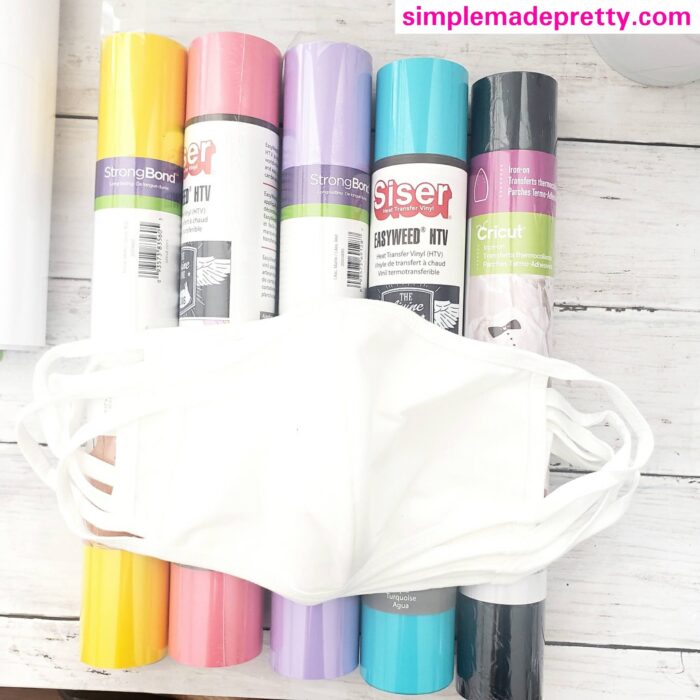
- Plain Cotton Face Masks
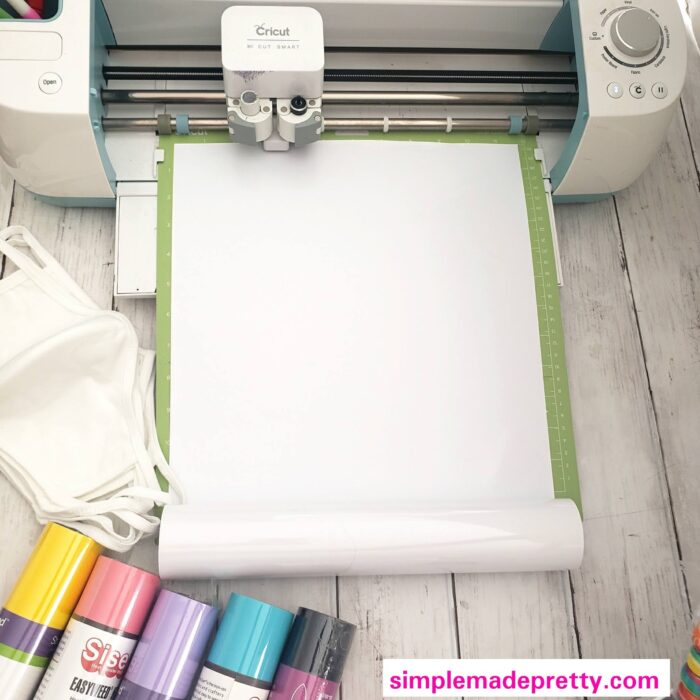
- Cricut Explore, Joy, or Maker Machine
- Standard Grip Mat
- Siser HTV in Teal
- Siser HTV in Purple
- Siser HTV in Pink
- Siser HTV in Yellow
- Siser HTV in Black
- Siser HTV in White
- Cricut Weeding Tools
- Cricut BrightPad (optional)
- Cricut EasyPress Mini
- Cricut EasyPress Mat
Directions:
- Gather supplies.

- Access my Cricut Design and select to cut the images. Make sure to set each image to MIRROR.
- Follow the prompts in Cricut Design Space to cut all the colors for each image.
- Weed all the images and cut to separate them all.
- Turn on the Cricut EasyPress Mini to the first heat setting (only one bar should be lit).
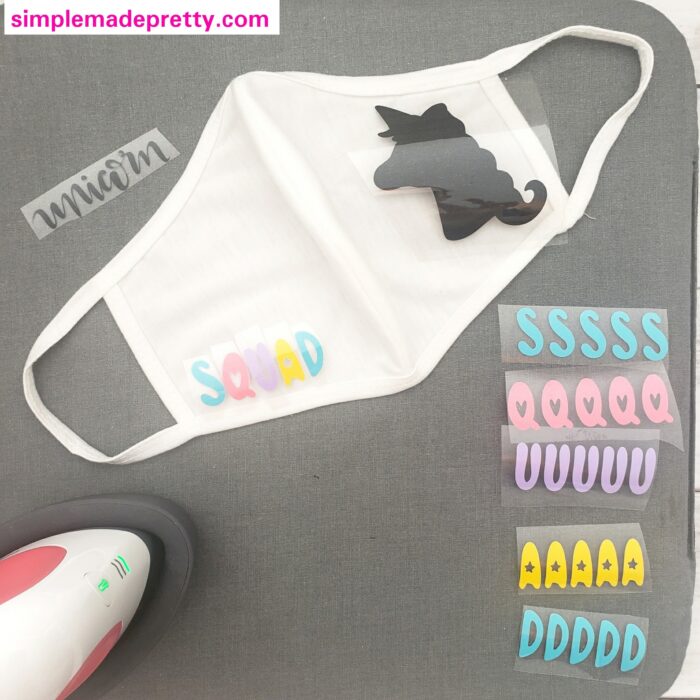
- Arrange the colorful letters to spell SQUAD on the lower front left side of the face mask. Be sure that none of the plastic is sticking into any of the surrounding letters. If you have any clear plastic overlapping, you need to cut it back as far as possible.
- Use the EasyPress Mini to press the SQUAD on the mask and hold for 10-20 seconds. Make sure the HTV has adhered and you can peel back the plastic.
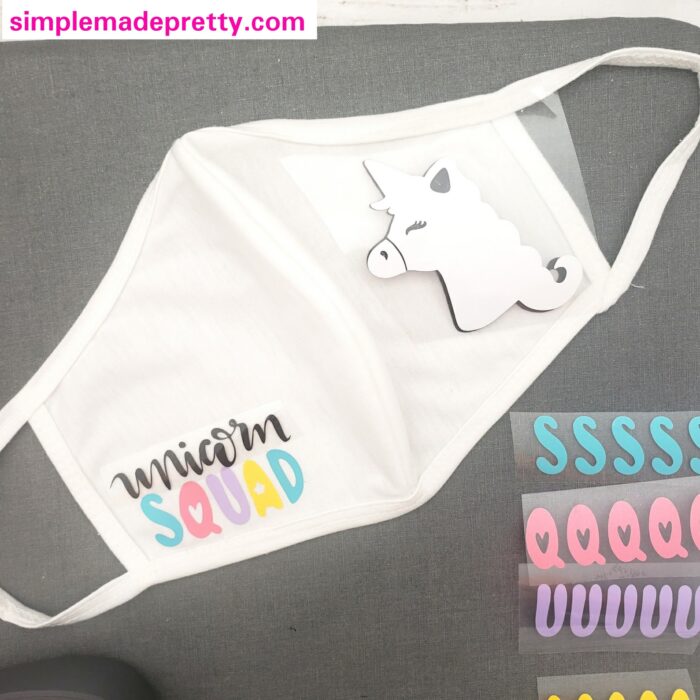
- Apply the UNICORN black text above the word SQUAD and make sure SQUAD is either covered by HTV plastic or you can make sure you do not press your EasyPress on the SQUAD HTV when pressing the UNICRON HTV (you don’t want to melt SQUAD since it’s so close together).
- Now you are ready to layer the HTV to create the unicorn. I designed these images so you have less layering! Press the Black unicorn image on the face mask and hold for 10-20 seconds.
- Apply the White unicorn image on top of the Black unicorn image.
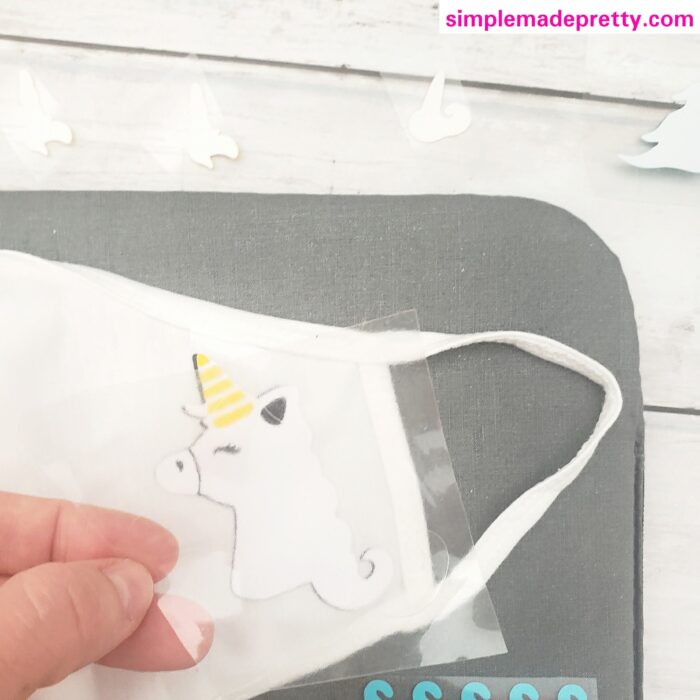
- Apply the Yellow horn to the unicorn image, again, make sure that you cover the rest of the exposed black/white unicorn so you do not press it without protection.
- Apply the Pink/Teal/Purple hair – for this step, I used the plastic cover from the White unicorn image to cover the entire image and pressed everything one final time.
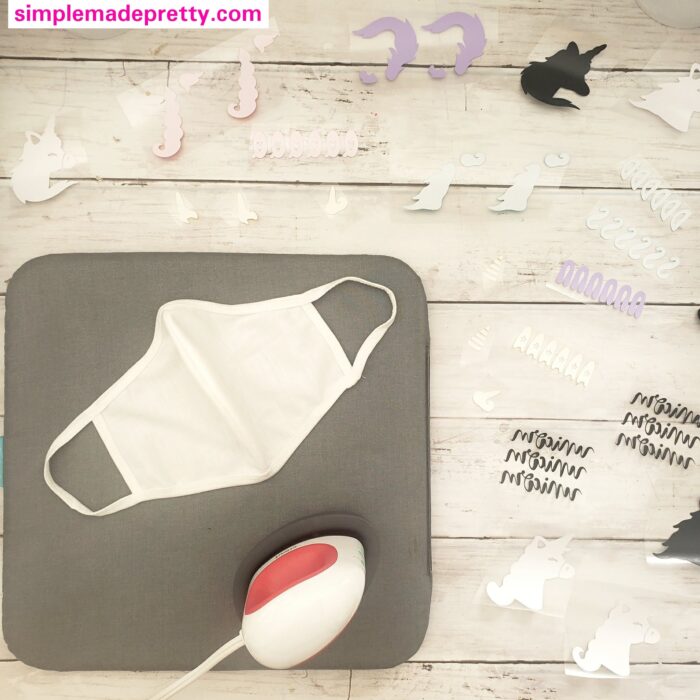
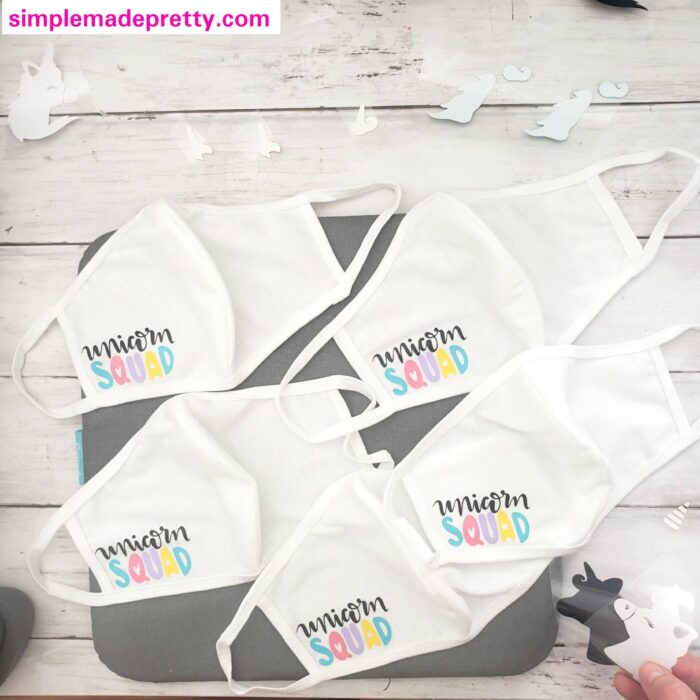
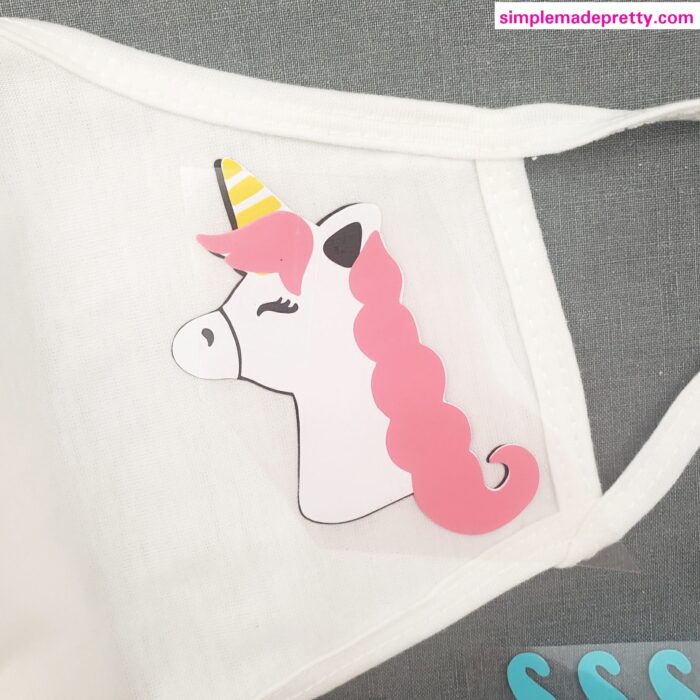
That’s it! you should have a beautiful, layered HTV Unicorn Face Mask!
I also made some simple funny face and mustache face masks for the boys at the party!
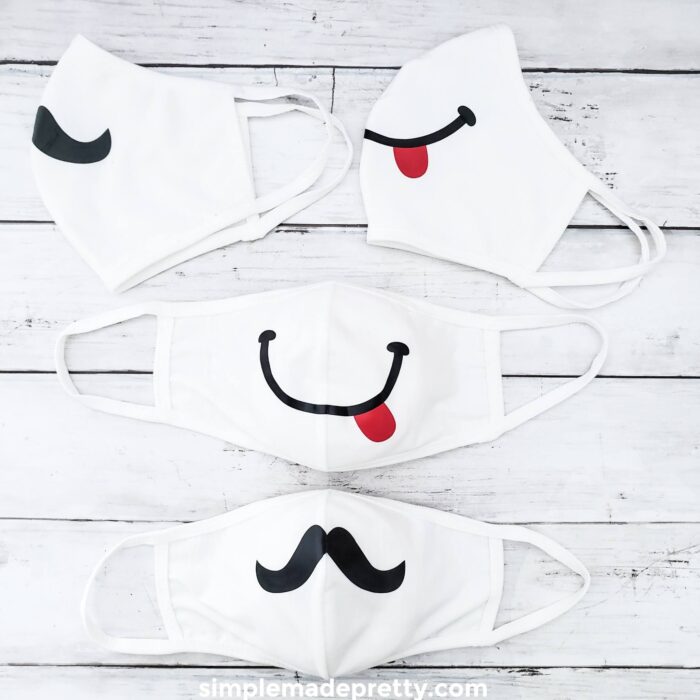
If you’re curious (or in a hurry)…
They are of excellent quality and the cheapest I found too.
Want to see my latest DIY videos in Real-Time? Follow me on Instagram and YouTube!
–>>You can follow me on Instagram here
DIY Cricut Unicorn Face Mask Wrap Up
These Unicorn Face Masks were simple to make and my daughter’s friends had fun wearing them during her unicorn-themed birthday party. You can make wearing face masks fun for kids by adding something cute for them to wear. These DIY Cricut Unicorn Face Masks make a cute gift too!
Print the tutorial for the Cricut Unicorn Face Masks
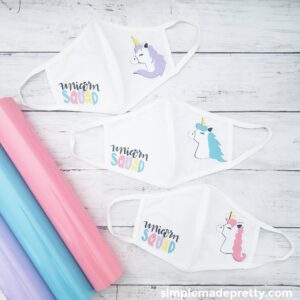
Unicorn Cricut Face Masks
Supplies
Instructions
- Access my Cricut Design and select to cut the images. Make sure to set each image to MIRROR.
- Follow the prompts in Cricut Design Space to cut all the colors for each image.
- Weed all the images and cut to separate them all.
- Turn on the Cricut EasyPress Mini to the first heat setting (only one bar should be lit).
- Arrange the colorful letters to spell SQUAD on the lower front left side of the face mask. Be sure that none of the plastic is sticking into any of the surrounding letters. If you have any clear plastic overlapping, you need to cut it back as far as possible.
- Use the EasyPress Mini to press the SQUAD on the mask and hold for 10-20 seconds. Make sure the HTV has adhered and you can peel back the plastic.
- Apply the UNICORN black text above the word SQUAD and make sure SQUAD is either covered by HTV plastic or you can make sure you do not press your EasyPress on the SQUAD HTV when pressing the UNICRON HTV (you don't want to melt SQUAD since it's so close together).
- Now you are ready to layer the HTV to create the unicorn. I designed these images so you have less layering! Press the Black unicorn image on the face mask and hold for 10-20 seconds.
- Apply the White unicorn image on top of the Black unicorn image.
- Apply the Yellow horn to the unicorn image, again, make sure that you cover the rest of the exposed black/white unicorn so you do not press it without protection.
- Apply the Pink/Teal/Purple hair - for this step, I used the plastic cover from the White unicorn image to cover the entire image and pressed everything one final time.
Access My Design on Cricut Design Space
Be sure to follow me in the Cricut Community so you can access all of my latest projects and design!
CRICUT UNICORN MASK DESIGNS – MAKE IT NOW IN DESIGN SPACE
New to Cricut?
Here are some Cricut Basics!
–>>If you want a Circut Machine but aren’t sure which machine is for you, be sure to read this post, How to Choose Which Cricut Machine is Right for you.
–>>Want more tips on finding inexpensive Cricut supplies? Read this post, How to Save Money on Cricut Craft Supplies.
What Cricut Accessories Do I Need?
Cricut Essentials make putting the pieces together a joy. From tweezers that handle delicate parts to Cricut EasyPress for foolproof iron-on, every Essential makes a great project even greater, every step of the way.
These are the Cricut Tools & Accessories I recommend for the serious crafter:
Cricut Easy Press
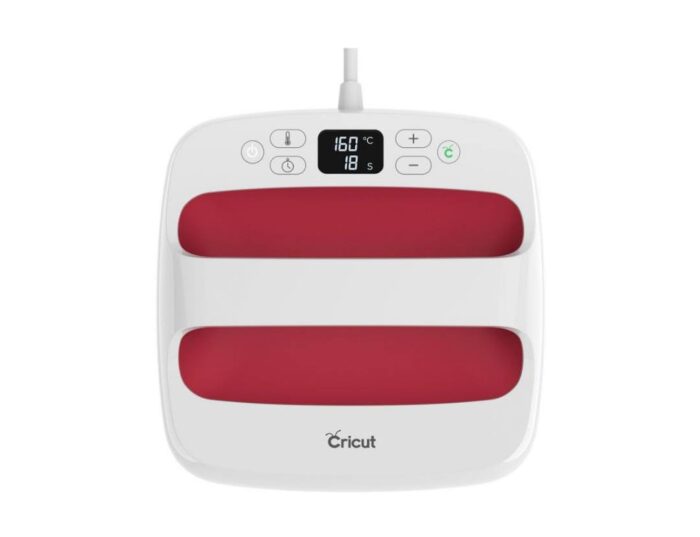
I highly recommend purchasing the Cricut Easy Press if you plan to do any iron-on or heat transfer projects. The Cricut Easy Press will make your Cricut DIY’s so much easier!
The Cricut Easy Press comes in 3 different sizes, however, I own the 9 x 9 and it’s the perfect size for most projects.
–>>Get the Cricut Easy Press here!
Cricut Easy Press Mat
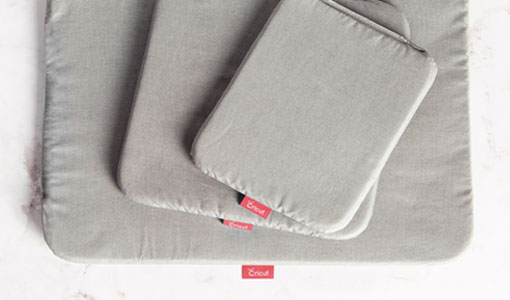
If you purchase the Cricut Easy Press, don’t forget to get the coordinating Easy Press Mat, which will protect your surfaces and projects from burning. Alternatively, you can use a folded towel, however, the mat is sleek and easier to store in the craft room 😉
–>>Get the Cricut Easy Press Mat Here!
Cricut Bright Pad
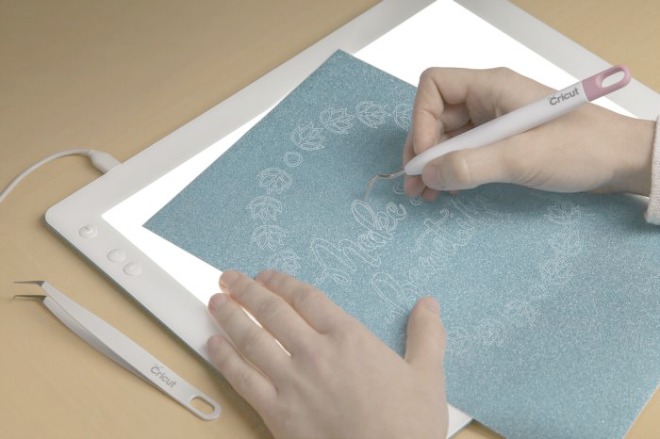
The lightweight, low-profile Cricut BrightPad makes crafting easier while reducing eye strain. It illuminates fine lines for tracing, cut lines for weeding, and more.
–>>Get the Cricut Bright Pad Here!
Cricut Cutting Mats
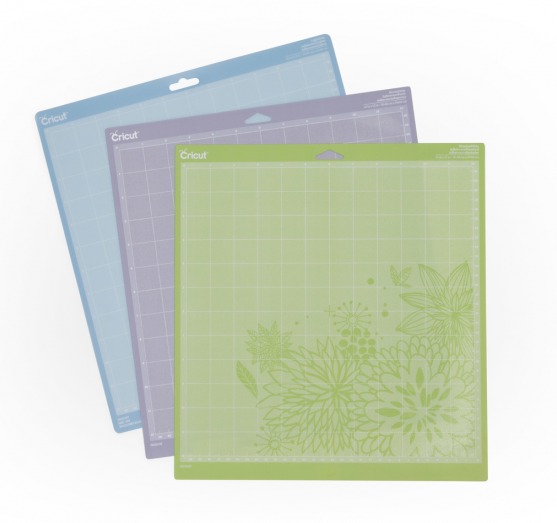
I suggest having a variety of cutting mats that are customized to match the weight of commonly used crafting materials. With three different mats specifically designed to work with different weights of materials, you can ensure success in all your projects.
–>>Get the Cricut Machine Mat Variety Pack Here!
Cricut Tool Set
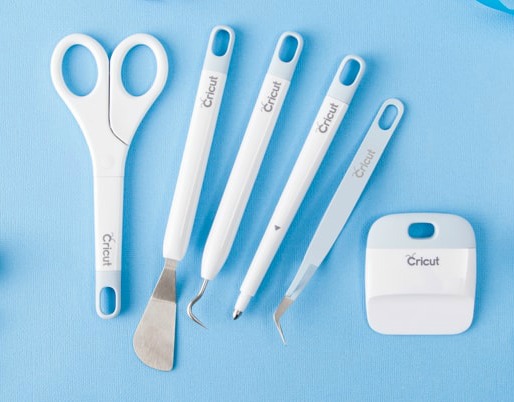
You will thank me later for telling you to just get the Cricut Tool Set instead of buying each tool individually! The tools included in the Cricut toolset are all helpful when using your Cricut machine.
–>>Get the Essential Tool Set Here!
My favorite non-Cricut brand materials
You can find other brand vinyl, iron-on, contact paper, and more outside of Cricut.com. A few of my favorites are:
- Oracal 651 Permanent Vinyl (find it here or at your local craft store)
- Siser HTV
- Dollar Tree clear contact paper (or shelf liner)
- Various fat-quarter fabrics at Walmart
- Felt sheets at local craft stores

Learning how to use your Cricut is really easy and fun once you get the hang of it. If you don’t have a Cricut Access Membership, I highly recommend it. I’ve had a Cricut Access Membership for years and it’s definitely worth the cost for all the benefits!
CRICUT ARTICLES YOU MIGHT ALSO LIKE…
How To Choose a Cricut Machine
I bought my first Cricut machine in 2013… it was called the Cricut mini and was one of the first Cricut machines that didn’t have a keyboard. It was a great machine but as soon as Cricut released the Cricut Explore machine in 2014, I quickly bought it. A year later Cricut released the Cricut Explore Air and I bought that too. Then in 2017, Cricut released the Cricut Maker Machine and of course I bought it too. So you can say I’m pretty experienced with Cricut machines and have in-depth knowledge about using Cricut and various Cricut projects.
–>>If you want a Circut Machine but aren’t sure which machine is for you, be sure to read this post, How to Choose Which Cricut Machine is Right for you.
32 Easy Cricut Projects for Beginners
I love learning about new Cricut projects and Cricut Explore Air 2 Projects, but some Cricut crafts seem more advanced than others. I put together this list with Easy Cricut Projects for Beginners to help others find Cricut tutorials for beginners and free Cricut projects. Most of the projects featured in this post can be made using a Cricut Explore Air and Cricut Explore Air 2, but some of these beginner projects require a Cricut Maker Machine (Cricut beginner projects using fabric).
–>>If you’ve had your Cricut machine for some time but are scared to use it, you should try these 32 Easy Cricut Projects for Beginners.
How To Save Money on Cricut Supplies
I love finding a good deal on Cricut vinyl craft supplies and I tend to stock up on Cricut craft supplies during sales (Cricut.com has the best Black Friday sale!) but Cricut supplies can be expensive! One question I’m frequently asked is where can I buy Cricut supplies? Well, not only will I share where you can buy Cricut supplies, but where to find discount Cricut supplies! My favorite store to find Cricut supplies cheap is the Dollar Store.
–>>Want more tips on finding inexpensive Cricut supplies? Read this post with, 30 Cricut Craft Supplies from the Dollar Tree.
15 Cricut Project Ideas Using Scraps
These 15 Cricut Project Ideas Using Scraps are easy Cricut projects that a Cricut beginner can make! If you have scrap Cricut craft materials and are looking for Cricut projects using Cricut Design Space and a Cricut Explore machine, this post is for you! This post is filled with Cricut project ideas inspiration and fun Cricut projects using vinyl, heat transfer (HTV), cardstock, and more!
Don’t throw away those small pieces of leftover vinyl, iron-on, or cardstock! Save your Cricut scraps to make these fun Cricut Projects Using Scrap materials! Keep reading to find 15 Easy Cricut project ideas to use up those extra bits of Cricut vinyl, Cricut iron-on, and Cricut cardstock.
–>>Read the full post, 15 Cricut Project Ideas Using Scraps here!
Psssssttt…Right now I’m offering FREE access to our Digital Resource Library to all of our newsletter subscribers. Your private access includes dozens of free printable crafts, home decor and organization guides. Hurry up and grab your freebies here! (Access instructions are sent after subscribing).
Disclaimer: This post may contain affiliate links or a sponsored post. All opinions are always 100% mine and I don’t partner with any product or company that I don’t use and love. Please see our Full Disclosure for more information.

 How to Turn a Bi-fold Door into a Barn Door