
Do you have a blog and your traffic is suffering? Do you want to try manual pinning but are overwhelmed with the thought of pinning 100’s or even thousands of pins? Are you currently manual pinning but find the process is time-consuming, leaving you stuck at your desk for hours? Do you want to learn How to Grow Your Traffic, List, & Income through Pinterest?
In this post, I reveal the steps I took to double my traffic, subscribers, and income in less than 30 days. I show you how to transition from using a Pinterest scheduler (like Tailwind) to manually pinning with 100+ pins and 100+ group boards to manage. I’ll give you my honest review of a popular Pinterest ebook and what I did differently. You’ll also learn about my secret manual pinning spreadsheet that I use to achieve 250,000 monthly page views and earn $7k a month consistently!
Manual Pinning Made Easy (How to Grow Your Traffic, List, & Income through Pinterest)
When I started blogging full-time in March of 2016, my goal was to start making a full-time income in 12 months or less. Nine months later, I succeeded in my goal. I reached 150k monthly page views and gained 10k subscribers in less than 9 months. I was on a roll and could not wait to keep growing my blog and income. I attribute my ability to grow in such a short amount of time to a course called Elite Blog Academy (EBA).
But then, something unforeseen happened.
My biggest social media traffic generator, Pinterest, made some huge changes in February of 2017.
When March rolled around (exactly 12 months after starting my blogging journey), I could see my blog traffic was suffering significantly from the Pinterest algorithm changes. My traffic had decreased drastically (down to about 70k monthly page views) which contributed to a decrease in daily subscribers and income.
I was getting discouraged and wondered if it was something I did or didn’t do. I was lucky enough to have grown my email list to lean on for income while my traffic suffered. But I was determined to get my traffic back.
After doing some research and listening to others with the same issue in Facebook groups, I heard about Pinteresting Strategies, by Carly Campbell (who is also an EBA alumni) which seemed to be helping quite a few bloggers after the major Pinterest changes. Their biggest take away from Carly’s course was to manually pin instead of using a Pinterest scheduler like Tailwind.
The thought of manual pinning gave me major anxiety because I have A LOT of pins and over 100 blog posts.
However, my current strategy wasn’t working so I purchased Carly’s book (which is now a course) and got to work implementing her strategies. A week after implementing Carly’s strategies, my traffic doubled and so did my subscriber list (along with my income)!
Want to know the major changes I made after reading Pinteresting Strategies?
Get Carly’s course here! As I mentioned, Carly and I both took EBA, and some of the information she reveals in Pinteresting Strategies, are details not mentioned in EBA and ones I never knew before! Her book totally blew me away!
There’s just one thing that I really wanted from Pinteresting Strategies, but I didn’t get.
While reading Carly’s book, I was eager to get to the part with her manual pinning process, because that was really giving me anxiety.
How the hell was I supposed to organize 100+ pins and schedule them into 100+ group boards?
I was hoping Carly had a magic document included in her book, but she didn’t (well, now she does have a magic document in her course… it’s the link to my spreadsheet!!!!)
However, she did explain 2 methods she used for manual pinning:
- Method 1: Tailwind
- Method 2: a physical notebook
So I ended up creating my own Word document and used a physical notebook to track a manual pin schedule.
I was not looking forward to carrying around a huge notebook, manually recording with pencil and paper, stuck at a desk, in order to pin to Pinterest. However, I needed to get things rolling so I started Carly’s strategy, using a physical notebook to manually pin.
It. drove. me. crazy.
I was stuck at my desk pinning. We went on vacation and I had to take the notebook with me (ugh). It was time-consuming because I had to pin, then record what I pinned in the notebook. I felt like I was wasting a TON of paper.
But after the first 30 days of using the notebook and implementing manually pinning, my blog was back on track. My traffic increased significantly, my subscribers were up, and I was happy with the results. Carly’s strategies worked wonders!
But I had to find another way to manually pin because the notebook was not ideal for my lifestyle.
And I promised myself when I figured out a better process, I would share it with others 🙂
The spreadsheet strategy that was a total game changer…
I ended up creating a Google spreadsheet that was exactly what I needed to continue my manual pinning strategy. If I had not turned to use Google Sheets, I would still be driving myself nuts with that notebook!
I ended up using my spreadsheet for more than just manual pinning. I started testing theories and strategies and pinning different ways to see what worked and what didn’t.
If you are stuck using a notebook to pin manually, maybe you can relate to these roadblocks…
You’re stuck at your desk during your downtime (or your ” me time”)
The best time for me to do a majority of my pinning is around 8pm to 9pm EST. That’s around the same time that I’m putting my kids down to bed or I’m relaxing with the hubby. I don’t want to be manual pinning and stuck at a desk during my downtime, but I’ve tested pinning at other times of the day and these times bring the biggest return. So I found a way to pin from my phone so I’m not stuck at my desk every night and can pin while on-the-go.
Time consumption picking and choosing which posts to pin to boards
The most time-consuming part of using a notebook was picking and choosing which post to pin to each board. I was basically waiting until I was in the moment to decide which pin to post so there wasn’t an actual “schedule.” Also, if I had a new post, I would have to stop and pencil that post on each page, along with all the color-coded dates when I pinned my posts. Ugh, it was a hot mess after those first 30 days!
Need a manual pinning process that was fail-proof
When you’re manually pinning, there is no “vacation” from pinning (unless you hire someone to do it for you). So I needed a process that worked while I was out having fun with my family… with a bad internet connection… and possibly one too many cocktails. You know what I’m saying? I needed a manual pinning process that I could do under any circumstance.
Why does a Google spreadsheet work better than other methods?
- Google Sheets is mobile. There’s an app for it. Download it. Use it. It’s free with a Gmail account. Which means you can use it anywhere, anytime, as long as you have your mobile device. I pin while in the bathroom, while in the school pickup line. while drinking wine… I can also pin while sitting at a desk. All you need is Google Forms (and my handy spreadsheet below!).
- Spreadsheets are easy to update. No more pen and paper. I’m not scratching out dates or scribbling down a post name. I update my scheduled pins every day my top pins every few weeks and it takes no time at all.
After using this manual pinning spreadsheet for 7 months, here’s what I’ve achieved in those 7 months:
- Gained a major traffic increase with consistent 250k monthly page views
- Grew my subscriber list from 10k to over 20k subscribers
- Earn a consistent $7k monthly income
Grow your blog with Carly’s course here and download the spreadsheet from the Productive Pinning Blueprint to Grow Your Traffic, List, & Income through Pinterest!
Download the Productive Pinning Blueprint Right Now!
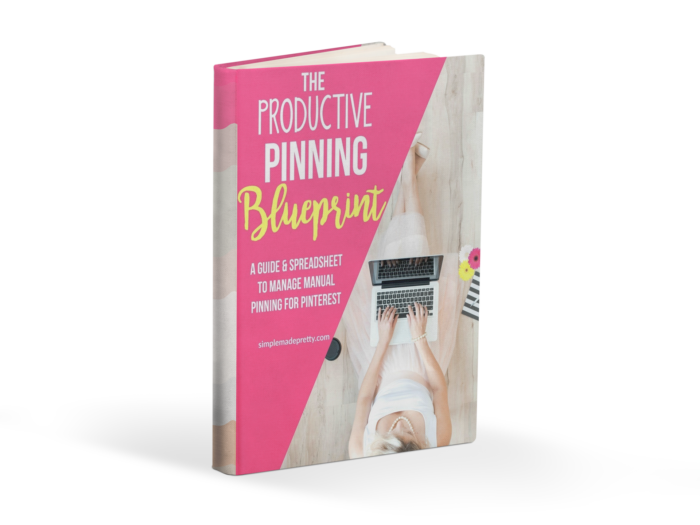
Get instant access to the pinning spreadsheet that I use to get a consistent 200,000 monthly page views!
Here’s how the Productive Pinning Blueprint can help you:
- Track and Organize your Pinterest Group Boards
- Organize your top Pins
- Create a schedule of your Pins
- Reduce your time spent manually pinning
Track and organize your Pinterest Group Boards
How many times have you gone to pin to a group board, only to find that you can no longer find it in your Pinterest account? Maybe the board owner changed the board name? Maybe they removed you? Or maybe they deleted the board. With the Manual Pinning Spreadsheet, you will keep track of your boards so you will never wonder what happened.
Organize your top pins
Keep track of your top pins to refer to when creating your master pinning schedule. In Carly’s book, she recommends using Google Analytics and pinning from there, but with this spreadsheet, you can record your top pins into the spreadsheet so you only need to log into Google Analytics 1-2 a month!
Create a schedule of your pins
The manual pinning spreadsheet has formulas and pinning times listed so all you have to do is input your pin links 1-2 times a month. I update my Spreadsheet once a month based on trends and Google Analytics. It takes around 30 minutes a month to update and 30 minutes a day to schedule 100+ pins to 100+ group boards using this spreadsheet.
Reduce your time spent manually pinning
The spreadsheet reduced my total time pinning from 60 minutes to 30 minutes! I have over 100 group boards and by using this spreadsheet, I can pin to 100+ boards in less than 30 minutes!
Save time (and your sanity) while growing your blog with this awesome resource!
–>>Get Instant Access to the Productive Pinning Blueprint Right Now!<<–
Here’s what others have to say about the Productive Pinning Blueprint:
“First off. Wow. Your pinning spreadsheet is amazing and I think you are a genius. No wonder you were able to make a full-time income from blogging so fast. You are super efficient!” -Sylvia W.
“I’m sorry, I can’t help it but girl you’re a freaking GENIUS! What! I cannot believe this. I’ve just gone through the strategy instructions and my whole life just eased up before my eyes (well my pinning life that is) Thank you!” –Kiyshia G.
“I purchased your product today…. thank you for this great tool!” Rebecca A.
FAQs
Q. How do I know if the Productive Pinning Blueprint is for me?
A. The Productive Pinning Blueprint is best for anyone with 20 or more Pinterest group boards and you are familiar using Microsoft Excel spreadsheets. If you have less than 20 group boards the Productive Pinning Blueprint is probably not for you at this time. Come back when you’ve joined 20 or more group boards!
Q. I don’t have much experience using Excel Spreadsheets, will I understand how to use the Productive Pinning Blueprint?
A. If you have NO experience using Microsoft Excel Spreadsheets, the Productive Pinning Blueprint is probably not for you. I’d recommend familiarizing yourself with using Excel or take an online class to learn the basics so you can get the most out of the Productive Pinning Blueprint.
If you have basic knowledge of Microsoft Excel Spreadsheets, then the Productive Pinning Blueprint should be simple to use.
I’ve inserted formulas to pull the data you enter and included thorough instructions with detailed images explaining how to use the spreadsheet.
Q. I haven’t taken any courses or read any books on Pinterest, will the Blueprint help me start a Pinterest account?
A. The Productive Pinning Blueprint is meant for those that have already established the following:
- Pinterest business account
- Rich pins
- 20+ Group boards
- Basic knowledge of Pinterest keywords & SEO
- Familiar with creating quality Pinterest images
- Acquainted with Google Analytics
- Familiar with Pinterest Analytics
- Have read Pinteresting Strategies (optional, but highly recommended)
If you have just started blogging, the Productive Pinning Blueprint is NOT for you. Try to achieve the above before attempting to understand the content in the Productive Pinning Blueprint. Check out my Blogging Tips and how to start a blog here.
Q. Do you have an affiliate program?
A. Yes! You can sign up for my affiliate program here to promote the Productive Pinning Blueprint and earn 40% commission!
–>>Get Instant Access to the Productive Pinning Blueprint<<–
Pin it for later…

You might also like…






Grab my Blogging for Business Time Management Guide for FREE! All you have to do is subscribe HERE and I’ll send you my guide on how to manage your time and create a work-life balance while creating your blog business!
Get 10 stock images to use on your blog for FREE! All you have to do is subscribe HERE and I’ll send you 10 professional images to use for free!

Grab my essential blog post checklists!
Includes:
- Blog Post Checklist (a checklist of everything you should do before hitting publish!)
- Checklist: Blog Post Sharing (a checklist of where to share your blog post once published)
- Blog Post Monetization Checklist (a checklist of items you should do to monetize your post)
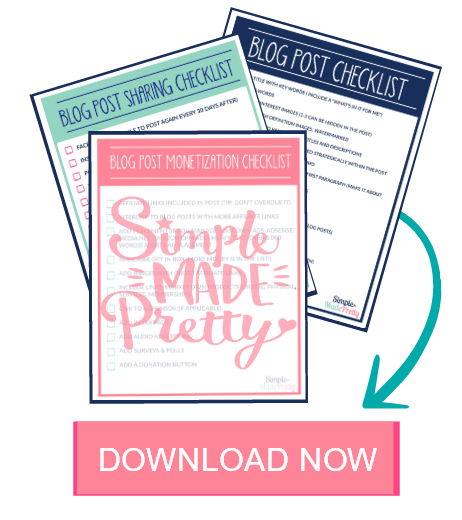
–>>Be sure to check out the Bloggers ToolKit with resources to support your blogging business!
Psssssttt…Right now I’m offering my Blogging for Business Time Management Guide for FREE! All you have to do is subscribe HERE and I’ll send you my guide for how to manage your time and create a work-life balance while creating your blog business!

 Free Printable Pencil Valentine Cards

[…] Tailwind, your pins are pinned on a set schedule, and eventually Pinterest gets used to it. Through manual pinning, I’m able to keep the algorithm from getting used to my schedule and punishing me for […]