Hobby to Income with the NEW xTool M2
This post is sponsored by xTool. As always, all opinions are my own. This post contains affiliate links, which means I may earn a commission at no additional cost to you if you make a purchase through my links.
Have you ever started a project thinking you were making just one thing… only to realize it could become an entire product line?
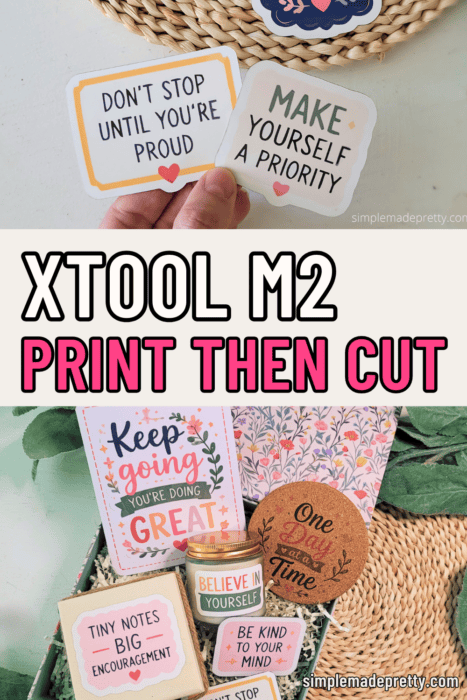
That’s exactly what happened when I started testing the NEW xTool M2 and its Print Then Cut feature.
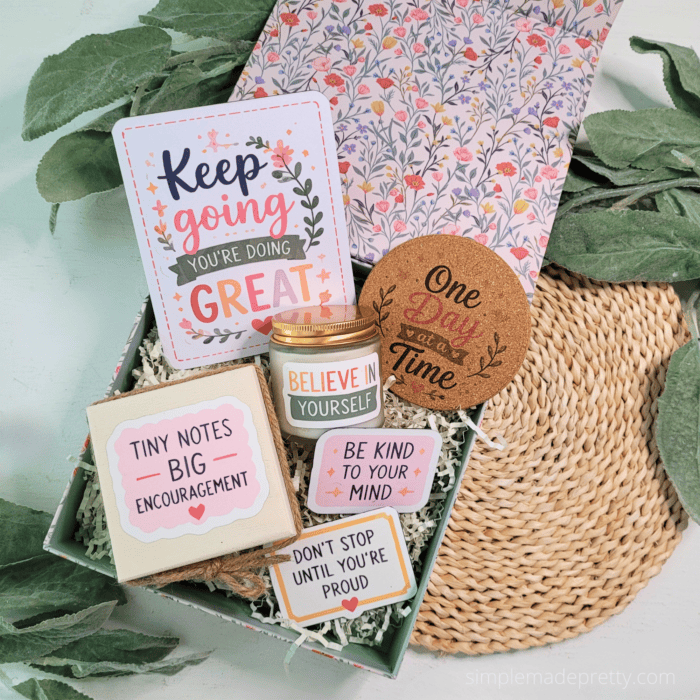
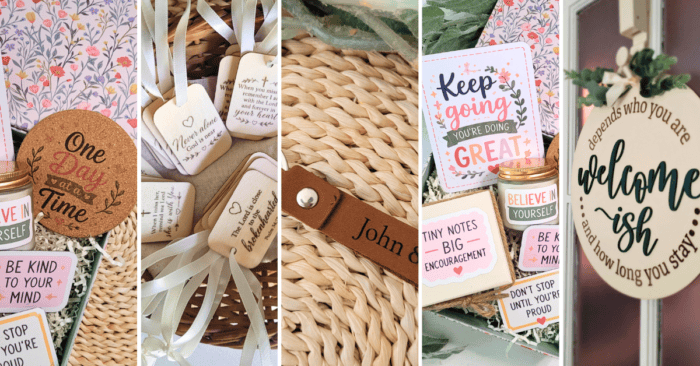
What began as a simple sheet of motivational stickers quickly turned into magnets, greeting cards, candle labels, cork coasters, personalized wood tags, leather keychains, a keepsake gift box, and even a layered wood sign.
As someone who is always looking for creative ways to turn hobbies into income, I couldn’t stop thinking about the possibilities. One design became multiple products. One idea became an entire collection.
If you’ve ever wondered whether a machine like the xTool M2 could help you start a small business, grow an Etsy shop, create personalized gifts, or simply make more meaningful handmade projects, I’m sharing my complete experience below.
🔽 WATCH THE FULL xTOOL M2 VIDEO 🔽
Watch how I tested the NEW xTool M2 Print Then Cut feature and turned one design into stickers, magnets, greeting cards, candle labels, cork coasters, personalized gifts, and a full handmade gift box 💛
✨ Watch the full video above — then scroll for project ideas, settings, links, materials & hobby-to-income tips below!
Table of Contents
- What Is the xTool M2?
- My Hobby-to-Income Workflow
- xTool M2 Unboxing & First Impressions
- Personalized Wood Tags
- Dollar Tree Welcome-ish Sign
- Leather Keychains
- xTool M2 Print Then Cut Feature
- Custom Stickers
- Keepsake Gift Box
- Custom Candle Labels
- Motivational Fridge Magnets
- Cork Coasters
- Greeting Cards
- My Honest xTool M2 Review
- Frequently Asked Questions
What Is the xTool M2?
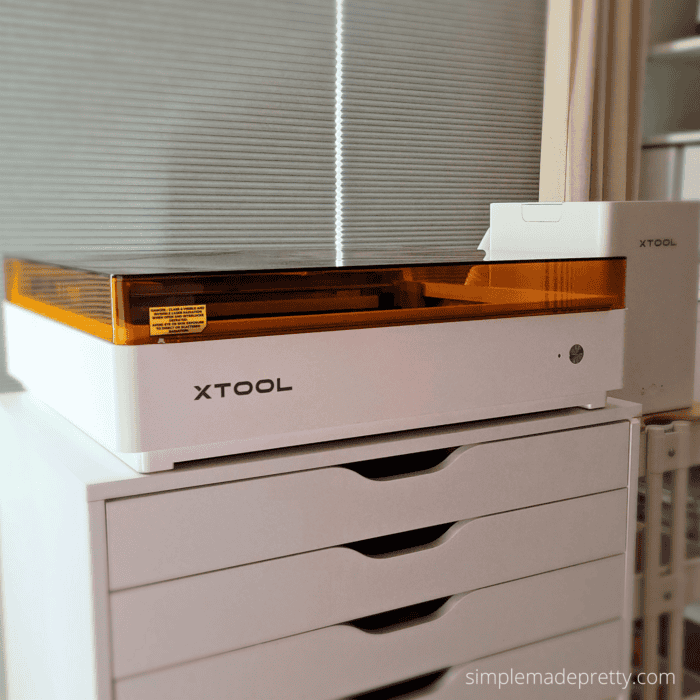
The xTool M2 is a laser cutter, engraver, printer, and Print Then Cut machine designed for creators, crafters, and small business owners.
Unlike many machines that focus on only one type of crafting, the xTool M2 allows you to:
- Laser engrave wood, leather, cork, and more
- Cut various materials
- Print full-color designs directly from the machine
- Use the new Print Then Cut feature for stickers, cards, labels, and other projects
- Create products across multiple categories using one machine
One of the things that immediately stood out to me was how versatile the machine felt right out of the box.
Instead of needing a separate printer, cutting machine, and laser engraver, the xTool M2 combines several creative tools into one setup.
Is the xTool M2 beginner-friendly?
Yes. Setup was much easier than I expected, and xTool Studio includes built-in project options and tutorials.
Can the xTool M2 make stickers?
Yes. The new Print Then Cut feature allows you to print and contour cut stickers.
Can you sell products made with the xTool M2?
Absolutely. Many of the projects in this tutorial would make excellent Etsy products, craft fair products, or personalized gifts.
Does the xTool M2 replace a home printer?
For many crafting projects, it potentially could. The print quality was surprisingly impressive.
Is the xTool M2 good for small businesses?
Yes. In my opinion, this is one of its strongest use cases because it allows one design to become multiple products.
What materials can the xTool M2 engrave?
I successfully tested wood, leather, cork, and Dollar Tree materials during this project.
Rources Mentioned
How One Design Became an Entire Product Line
| One Design | Products Created |
|---|---|
| Motivational Sticker Design | • Stickers • Magnets • Greeting Cards • Candle Labels • Cork Coasters • Keepsake Gift Box • Encouragement Notes |
First Impressions and Unboxing
When I first opened the xTool M2, I was pleasantly surprised by how organized everything was.
Inside the box you’ll find:
- The machine
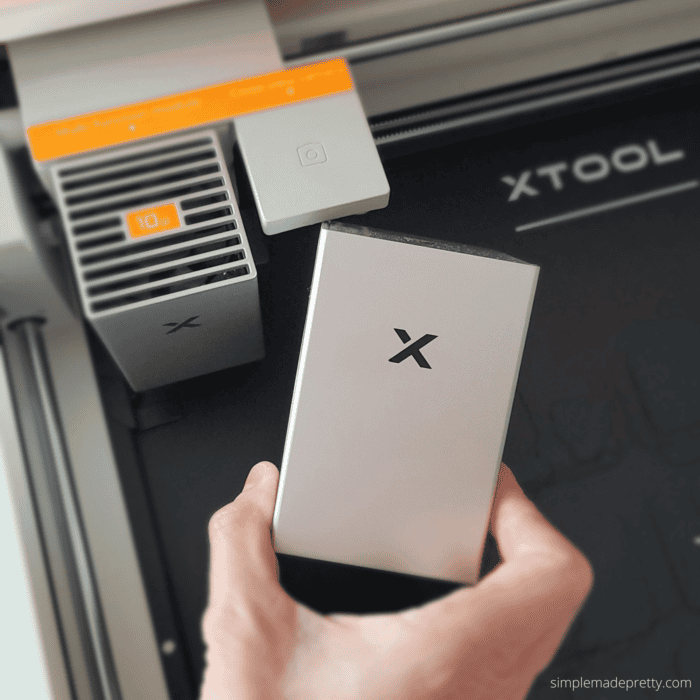
- Laser module
- Print module
- Starter materials
- Cords and accessories
- Setup tools
Everything was packaged securely and setup was much less intimidating than I expected.
As someone who has used the original xTool M1 in the past, I immediately noticed how much more polished and user-friendly the overall experience felt.
The software has improved significantly, the setup process feels smoother, and the Print Then Cut feature opens up entirely new project possibilities.
Project #1: Personalized Wood Tags
The first thing I tested was engraving on small unfinished wood tags.
I wanted to start with something simple and see how detailed the engraving would look.
The results honestly surprised me.
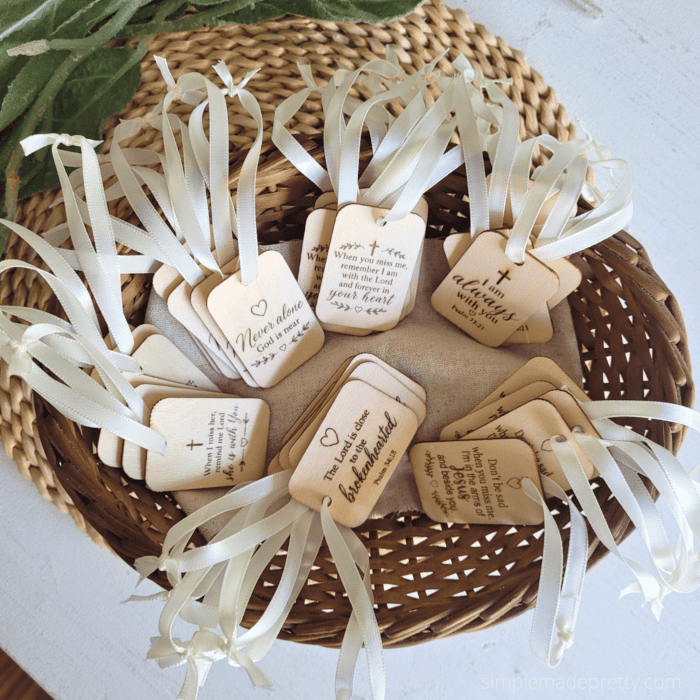
Even though the tags were small, the engraved details came out crisp and clean.
I also tested the batch feature in xTool Studio, which allowed me to create multiple tags at once.
That feature alone could save a tremendous amount of time for someone selling personalized products.
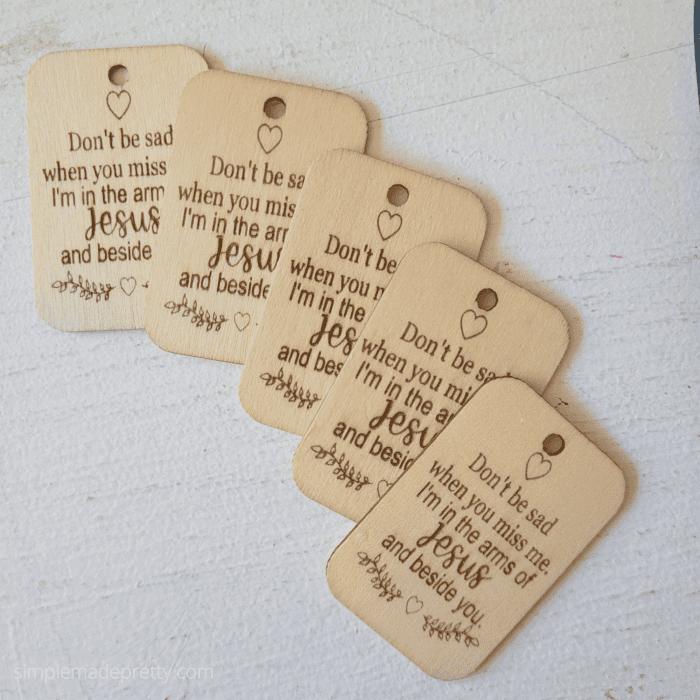
Ideas for Selling Personalized Wood Tags
- Memorial keepsakes
- Sympathy gifts
- Bookmarks
- Teacher gifts
- Wedding favors
- Church gifts
- Personalized ornaments
One of the reasons I love products like these is that they’re lightweight, affordable to ship, and highly customizable.
For Etsy sellers, that’s a winning combination.
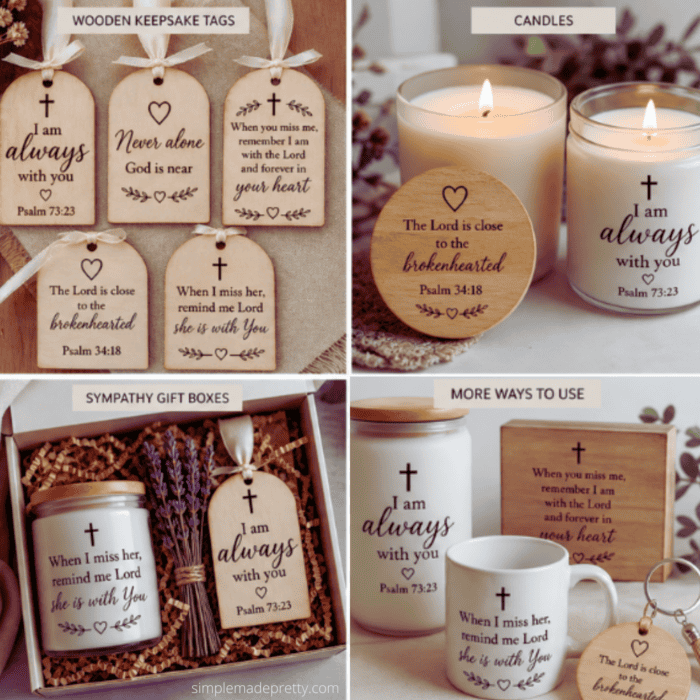
Engraving Settings
- Power: 55
- Speed: 100
- Passes: 1
Project #2: Dollar Tree Welcome-ish Sign
Of course I had to test Dollar Tree materials.
If you’ve been following my blog for any amount of time, you know I love turning inexpensive materials into high-end looking décor.
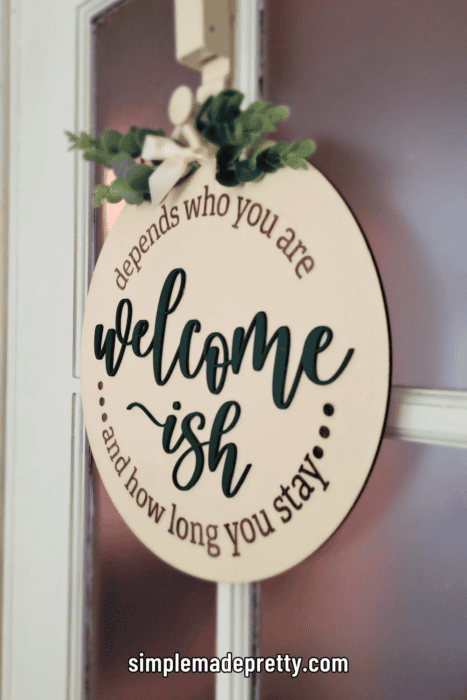
I grabbed a simple Dollar Tree wood round and created a layered Welcome-ish sign.
First, I engraved the wording.
Then I cut separate basswood lettering and attached it to create a layered effect.
The final result looked far more expensive than the materials I started with.

Why This Matters for Small Businesses
Many successful Etsy shops are built around simple personalized signs like these.
The ability to purchase inexpensive materials and transform them into premium-looking products can create healthy profit margins.
Engraving Settings
- Power: 35
- Speed: 120
Cut Settings
- Power: 100
- Speed: 6
- Passes: 1
Project #3: Leather Keychains
Next I tested engraving on leather.
The leather shifted slightly at first, so I taped it onto a scrap piece of wood before engraving.
Problem solved.
The detail quality was excellent and immediately sparked several product ideas.
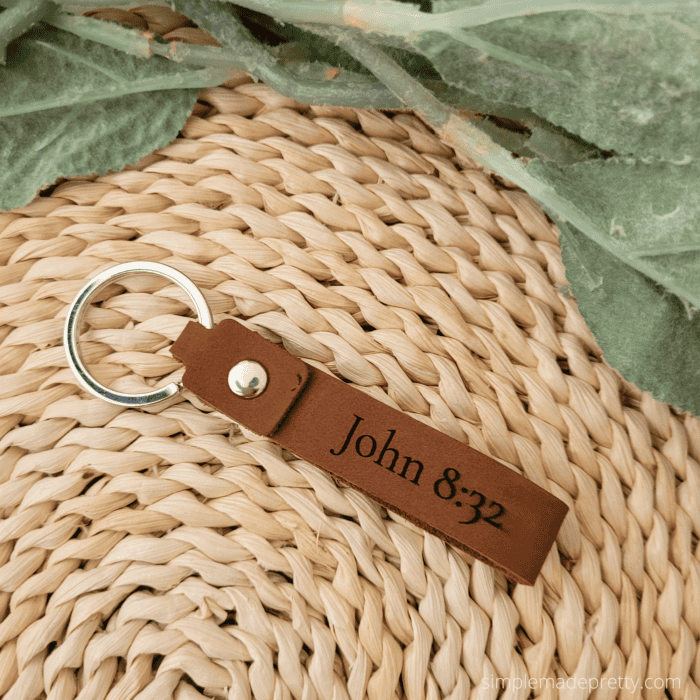
Leather Product Ideas
- Personalized keychains
- Scripture keychains
- Name tags
- Bag tags
- Teacher gifts
- Graduation gifts
These are quick projects that could easily be added to an Etsy shop or craft fair inventory.
The M2 Print Then Cut Feature
This was the feature I was most excited to test.
After swapping the laser module for the print module, I selected Print Then Cut mode inside xTool Studio and started experimenting.
The process was surprisingly easy.
One thing I thought was especially clever was how the machine automatically protected the print module during operation.
It felt intuitive and beginner-friendly.
But the real surprise?
The print quality.
The colors were vibrant, crisp, and professional-looking.
Honestly, the prints were so good that I immediately started questioning whether I even needed my regular home printer anymore.
The color saturation was beautiful and the finished projects looked polished and professional.
Project #4: Creating Custom Stickers
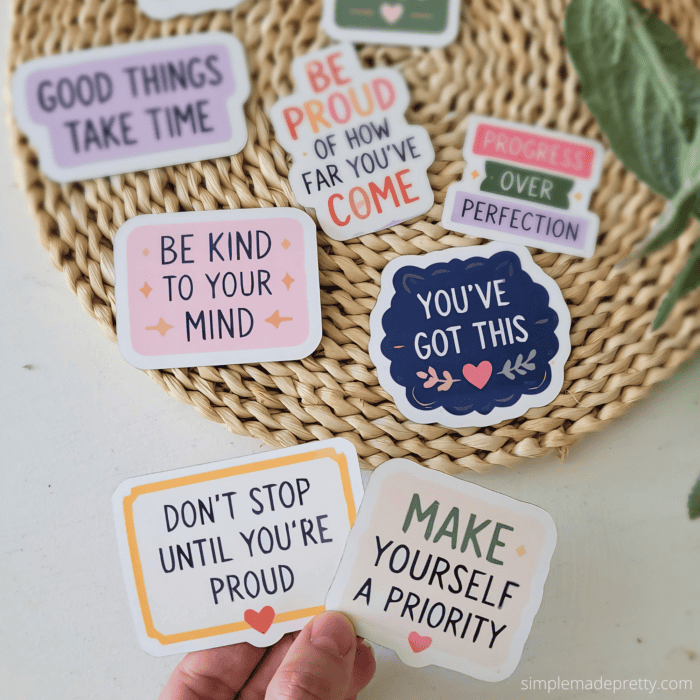
My first Print Then Cut project was a sheet of motivational stickers.
I used my own encouragement-themed designs from the Printables Vault inside Craft & Create Club and loaded sticker paper into the machine.
The process was simple:
1. Select Print Then Cut mode
2. Choose sticker paper as the material
3. Set the artwork to Print
4. Set the offset line to Cut
5. Process the design
The machine first printed the sticker sheet and then precisely cut around each design.
This is where my brain immediately started thinking beyond stickers.
Because if one design can become a sticker…
What else can it become?
Sticker Product Ideas
- Planner stickers
- Teacher rewards
- Encouragement stickers
- Bible journaling stickers
- Water bottle decals
- Small business freebies
- Subscription box inserts
For creators and Etsy sellers, stickers are often one of the easiest products to start selling because they require minimal materials and are inexpensive to ship.
Sticker Cut Settings
- Power: 55
- Speed: 8
- Constant Power Enabled
Project #5: Turning Stickers into a Keepsake Gift Box
This is where things got interesting.
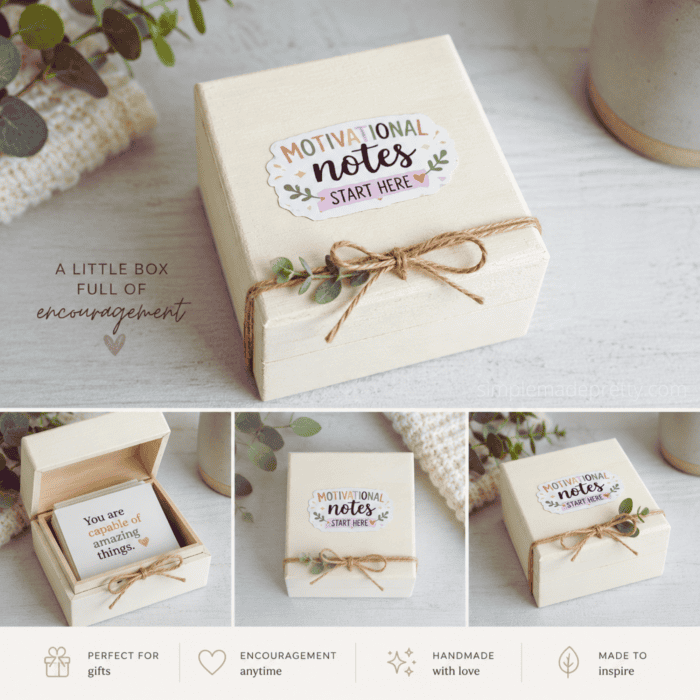
Instead of stopping at the sticker sheet, I used those same designs to create an encouragement-themed keepsake box.
I started with a simple Dollar Tree wood box and decorated it using the printed designs.
Inside the box, I added motivational notes and stickers.
The finished project felt like something you’d find in a boutique gift shop.
Gift Box Ideas
- Teacher appreciation gifts
- Encouragement gifts
- Care packages
- Self-care boxes
- Graduation gifts
- Friendship gifts
- Etsy gift boxes
One of my favorite things about this project was realizing that I didn’t need additional artwork.
The same sticker designs became part of an entirely different product.
That’s one of the biggest hobby-to-income lessons in this post.
Think beyond the first product.
Project #6: Custom Candle Labels
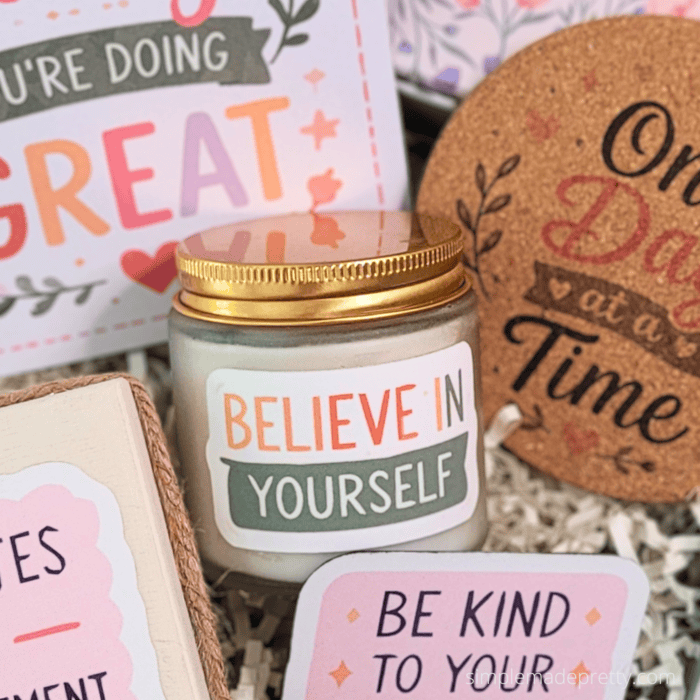
Next, I applied one of the printed designs to a Dollar Tree candle.
This took less than a minute but completely transformed the candle.
Instead of a generic candle, it suddenly felt like a personalized boutique gift.
Why This Matters
Many handmade businesses create gift bundles.
When you can create matching:
- Stickers
- Candles
- Cards
- Magnets
- Gift boxes
you instantly increase the perceived value of your products.
Customers love coordinated gift sets.
Project #7: Motivational Fridge Magnets
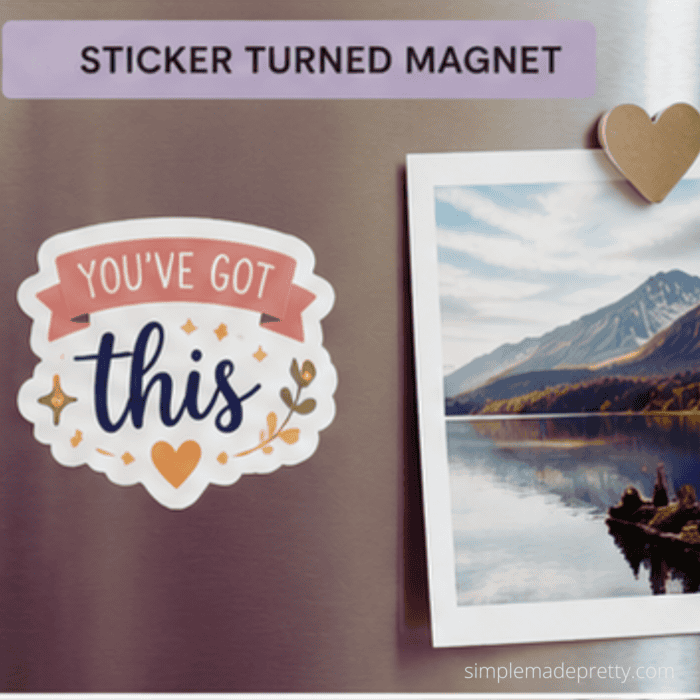
One of my favorite projects was turning the stickers into magnets.
I simply applied the printed designs to magnetic sheets and cut them out.
The finished magnets looked adorable on the refrigerator.
Why Magnets Are Great Small Business Products
Magnets are:
- Affordable
- Easy to produce
- Lightweight
- Highly giftable
- Easy to personalize
And because the artwork was already created for the stickers, this product required very little additional effort.
Again, one design became another product.
Project #8: Cork Coasters
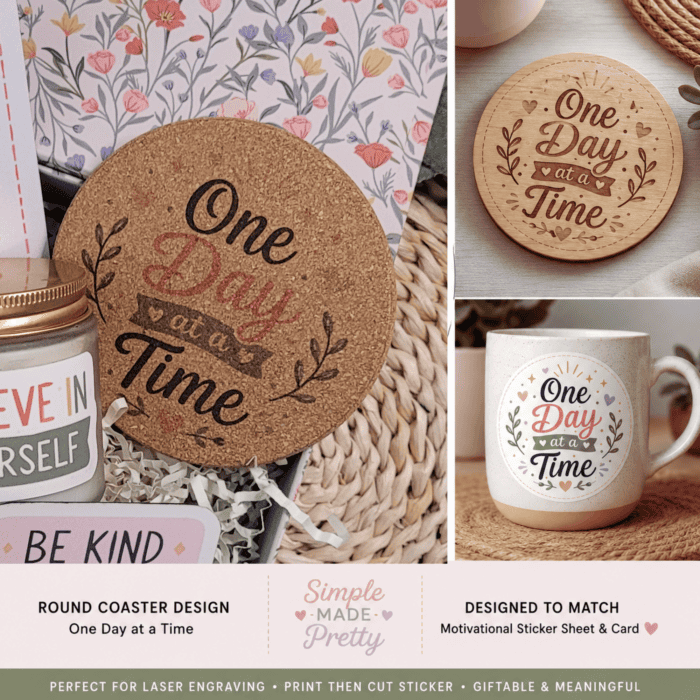
The material starter kit included cork coasters, so I decided to test the Print Then Cut feature on cork.
Within seconds, I had a personalized motivational coaster.
Honestly, these ended up being one of my favorite projects.
Coaster Product Ideas
- Housewarming gifts
- Teacher gifts
- Wedding favors
- Office gifts
- Personalized gift sets
I could easily see these becoming a popular Etsy product.
Project #9: Greeting Cards
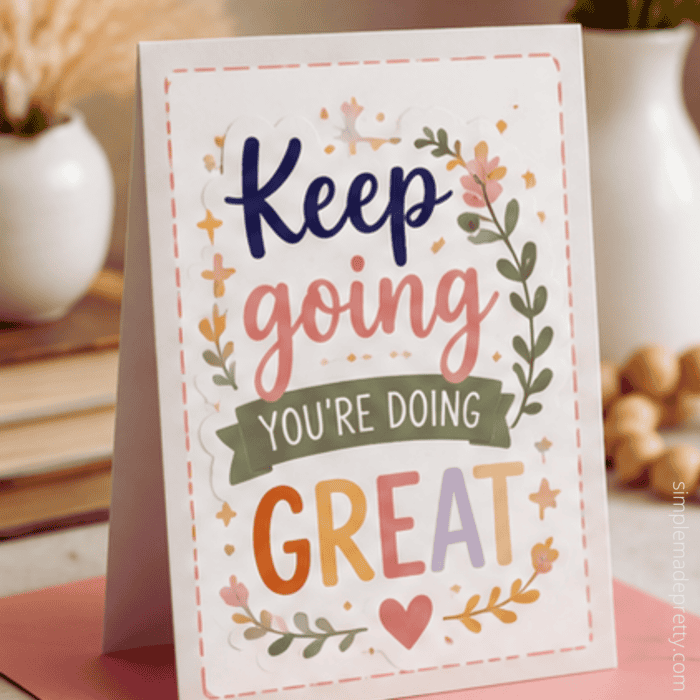
The final Print Then Cut project I tested was a greeting card.
The machine printed and cut the design.
Afterward, I used a scoring tool to fold the card neatly.
This project really highlighted the benefit of having printing and cutting integrated into one machine.
Instead of:
- printing
- trimming
- aligning
- cutting
everything happened in a streamlined workflow.
Greeting Card Business Ideas
- Encouragement cards
- Birthday cards
- Sympathy cards
- Teacher appreciation cards
- Holiday cards
- Christian greeting cards
For anyone considering a greeting card business, this feature opens up some exciting possibilities.
One Design = Multiple Products
Here’s what surprised me most about this entire experiment.
I started with one sticker design.
By the end, I had:
- ✓ Sticker sheets
- ✓ Magnets
- ✓ Greeting cards
- ✓ Candle labels
- ✓ Cork coasters
- ✓ Keepsake gift boxes
- ✓ Encouragement notes
And that doesn’t even include the engraved products.
This is exactly why I believe the hobby-to-income concept is so powerful.
Most people focus on creating more designs.
Instead, focus on getting more value from each design.
Visual Product Expansion Chart
How One Design Became Multiple Products
Motivational Sticker Design
⬇️
⬇️
Multiple Products to Gift or Sell
My Honest xTool M2 Review
After testing:
- Wood engraving
- Leather engraving
- Dollar Tree wood
- Sticker paper
- Magnets
- Cork
- Greeting cards
- Print Then Cut
here are my honest thoughts.
What I Loved
Print Quality
The print quality exceeded my expectations.
The colors were vibrant, sharp, and professional-looking.
Engraving Quality
Wood, leather, and cork all engraved beautifully.
The details were crisp and consistent.
Versatility
This is where the machine truly shines.
Being able to:
- Cut
- Engrave
all from one machine opens up countless creative opportunities.
Small Business Potential
The machine naturally lends itself to product creation.
Almost every project I tested felt like something that could be sold online.
Safety Tips for Indoor Crafting
If you’re using any laser machine indoors, I strongly recommend:
- Good ventilation
- Open windows when possible
- Proper exhaust setup
- An air purifier
I personally use an air purifier and consider it an important part of my setup.
Recommended Products
Download the Designs I Used
All of the designs featured in this tutorial are my own designs and are available inside:
Craft & Create Club
Members receive access to:
- Printables Vault
- SVG Vault
- Seasonal projects
- DIY tutorials
- Business inspiration
- Craft resources
Join Here
Final Thoughts
If you’ve been looking for a way to turn your creative hobby into income, the xTool M2 offers a lot of possibilities.
What impressed me most wasn’t just the engraving quality or the Print Then Cut feature.
It was the ability to take one simple idea and transform it into an entire collection of products.
That’s how many successful handmade businesses grow.
Not by creating more designs.
But by getting more value from every design they create.
Whether you’re interested in starting an Etsy shop, creating personalized gifts, selling at craft fairs, or simply exploring new creative possibilities, the xTool M2 is a machine worth considering.
And honestly?
I already have a long list of future projects I can’t wait to try.
If you enjoyed this tutorial, be sure to watch the video above and let me know in the comments:
Which project would you make first?
Psssssttt…Right now I’m offering FREE access to our Digital Resource Library to all of our newsletter subscribers. Your private access includes dozens of free printable crafts, home decor and organization guides. Hurry up and grab your freebies here! (Access instructions are sent after subscribing).
Disclaimer: This post may contain affiliate links or a sponsored post. All opinions are always 100% mine and I don’t partner with any product or company that I don’t use and love. Please see our Full Disclosure for more information.
Hobby to Income with the NEW xTool M2
 How I Made My Backyard Look Expensive Using Dollar Tree DIYs (Budget Patio Makeover)
